
 NativeOffice for Windows
 NativeOffice Mobile
 NativeOffice Scan
 NativeOffice Web ↗
Convert a spreadsheet to a pandas DataFrame
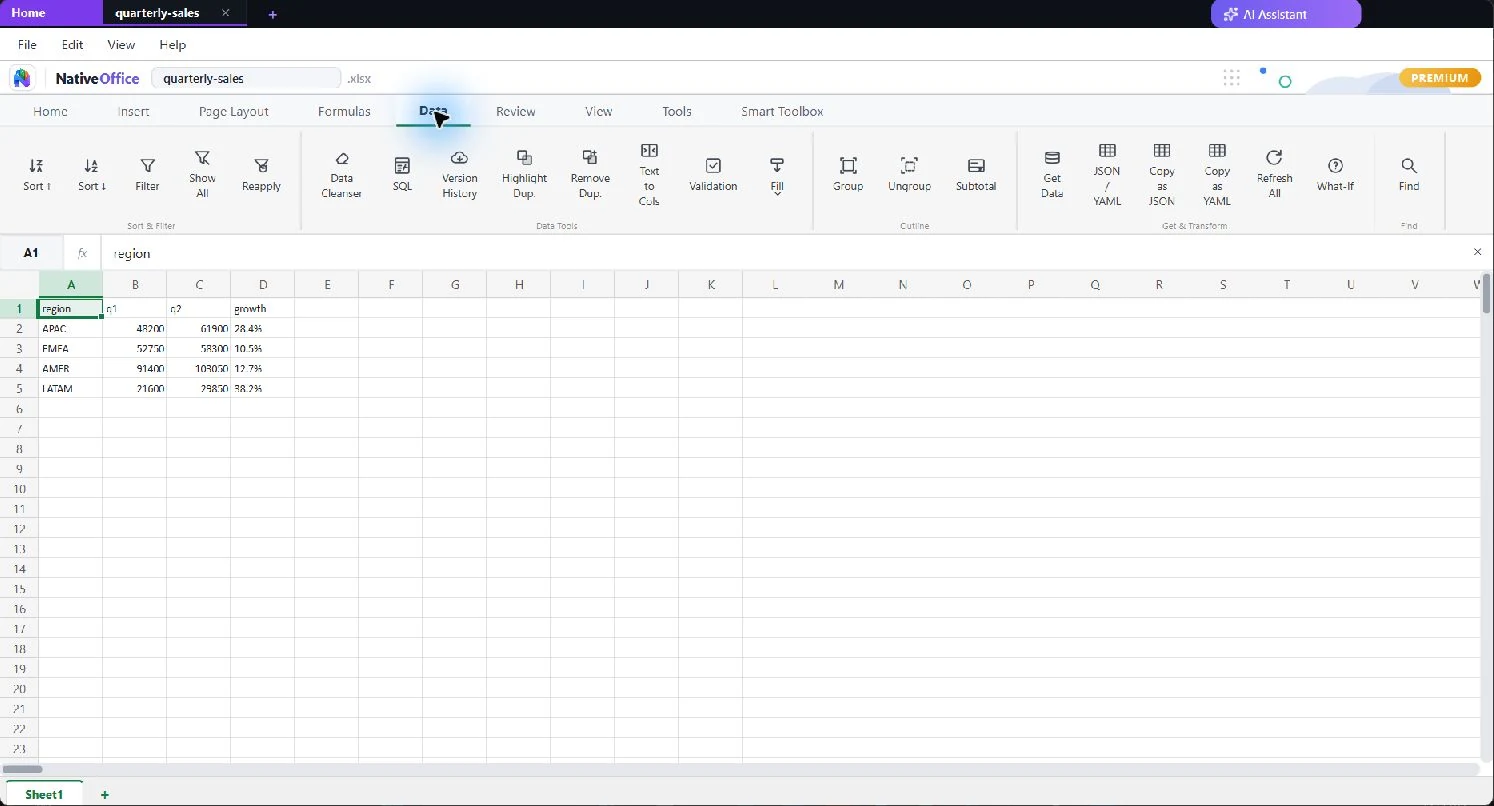
To convert a spreadsheet to a pandas DataFrame, open the file in NativeOffice
Sheets, select the range including its header row, and open the pandas panel
from the Data tab. NativeOffice writes a ready-to-run pd.DataFrame
block for that exact selection, using the header row for column names and
inferring dtypes from the values. Copy it and paste it into your notebook.
How do I convert a spreadsheet to pandas step by step?
Four steps, about a minute. Nothing is uploaded and no add-in is required.
- Open your
.xlsx,.csvor.nsheetfile in NativeOffice Sheets. - Select the cells you want, including the header row.
- Open the pandas panel from the Data tab. It follows your selection live.
- Copy the generated snippet into a notebook or a
.pyfile.
What does the generated code look like?
It is plain pandas that a reviewer can read, not an opaque loader call. A four column selection with a header row produces this:
Numeric columns come through as numbers rather than strings, so you are not
left writing astype calls to undo a bad import.
Can I convert an Excel file to pandas without writing code?
Yes. NativeOffice opens .xlsx directly, so you never hand-write
pd.read_excel, guess at a sheet name, or discover after the fact
that a column of IDs was parsed as floats. You select what you want and the
code describes exactly that.
Does this work offline?
Yes. The conversion happens inside the desktop app on your own machine, and your spreadsheet is never uploaded. That is the practical difference from a paste-into-a-website converter: you can use this on data you are not permitted to send to a third party.
Is it free?
Yes. Generating and copying pandas code from a selection is part of the free plan on Windows. macOS and Linux versions are in development. See pricing for what Premium adds.
What else can Sheets export?
The same selection can be copied as JSON or YAML, queried with SQL through SQL on Sheets, or exported to Markdown. The Data tab also includes a data cleanser for trimming whitespace and removing duplicate rows, plus local version history.