
Android
COMING SOON
Photo and video editing for your phone.
The current build
supports Android 8.0 and later.
Public download to follow01
 Pinwheel
By NativeOffice ↗
Pinwheel
By NativeOffice ↗
PHOTO & VIDEO. ONE STUDIO.
Photo adjustments. Video timelines. Sound, titles, and the finishing
touches.
All together in Pinwheel.
Coming to Android / Windows is on the way

THE LITTLE THINGS, IN FOCUS
Bring out the colour. Balance the light. Keep the little details that make a photo yours.
INSIDE PINWHEEL
Actual screens. Current Android build.
Take a look around the tools.
Select a workspace to see it in
the app.
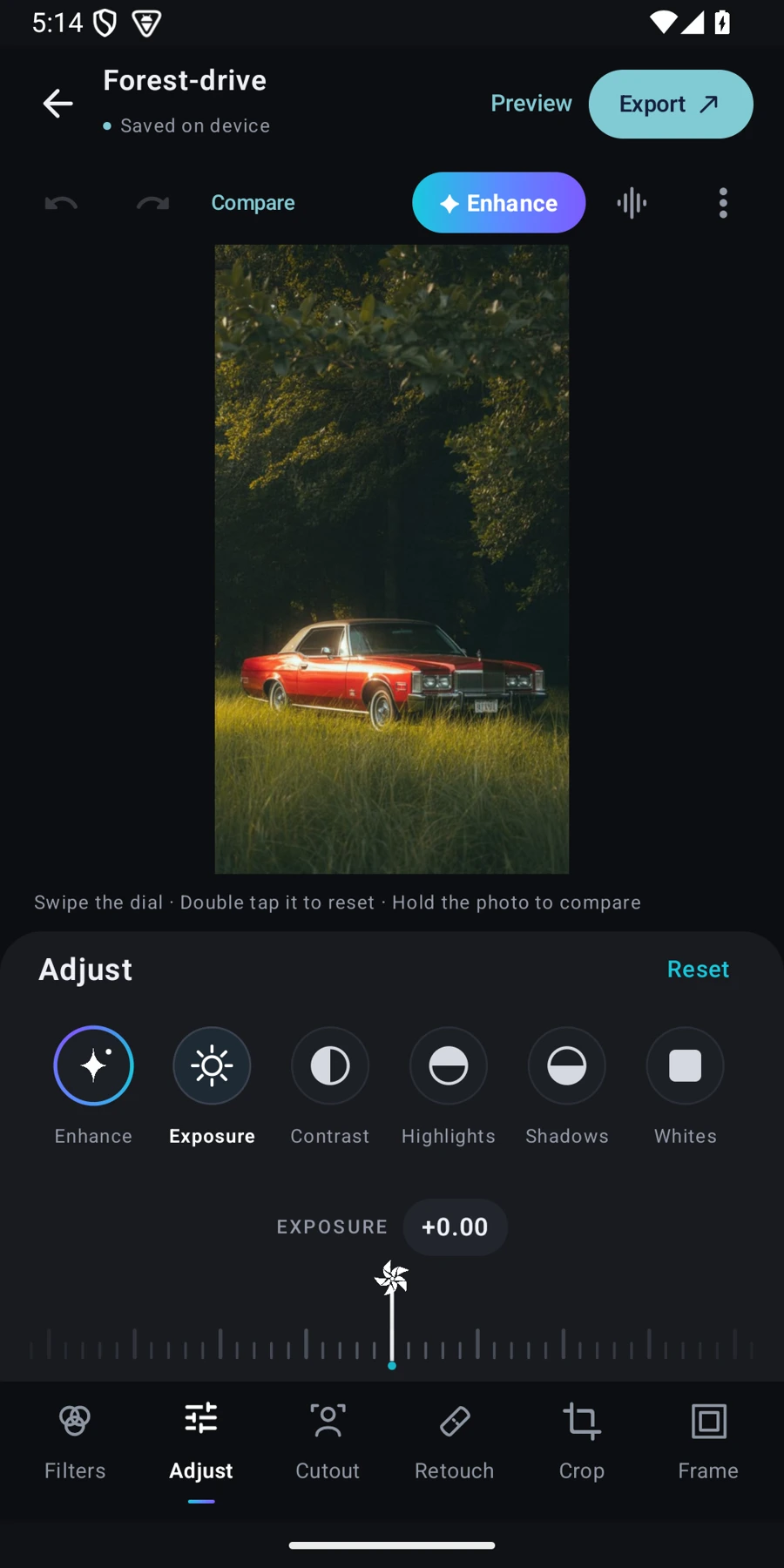
Nudge the exposure. Pull back the highlights. Work through colour, texture, grain, and the other adjustments without leaving your photo.

01 / THE PHOTO EDITOR
A filter can be the starting point.
You still get the final
say.
Preview filters on your own photo. Adjust their strength and keep working on the light and colour.
Erase, restore, or select with the background brush. Set the brush size, sensitivity, and edge softness.
Compare with the original, undo a change, and save versions as you work.
COLOUR, CHARACTER, ATMOSPHERE
A warmer portrait. A quieter landscape. A little more life in the everyday. Find your starting point in Filters.




A few visual starting points. See the current app’s filter controls in the editor above.
 IN THE MOMENT
VIDEO EDITING, SIMPLIFIED
Trim the pause. Keep the jump. Add a track, a title, and your own sense of timing.
02 / THE VIDEO EDITOR
The clip, the cut, the title, the sound.
Build them together
on a timeline.
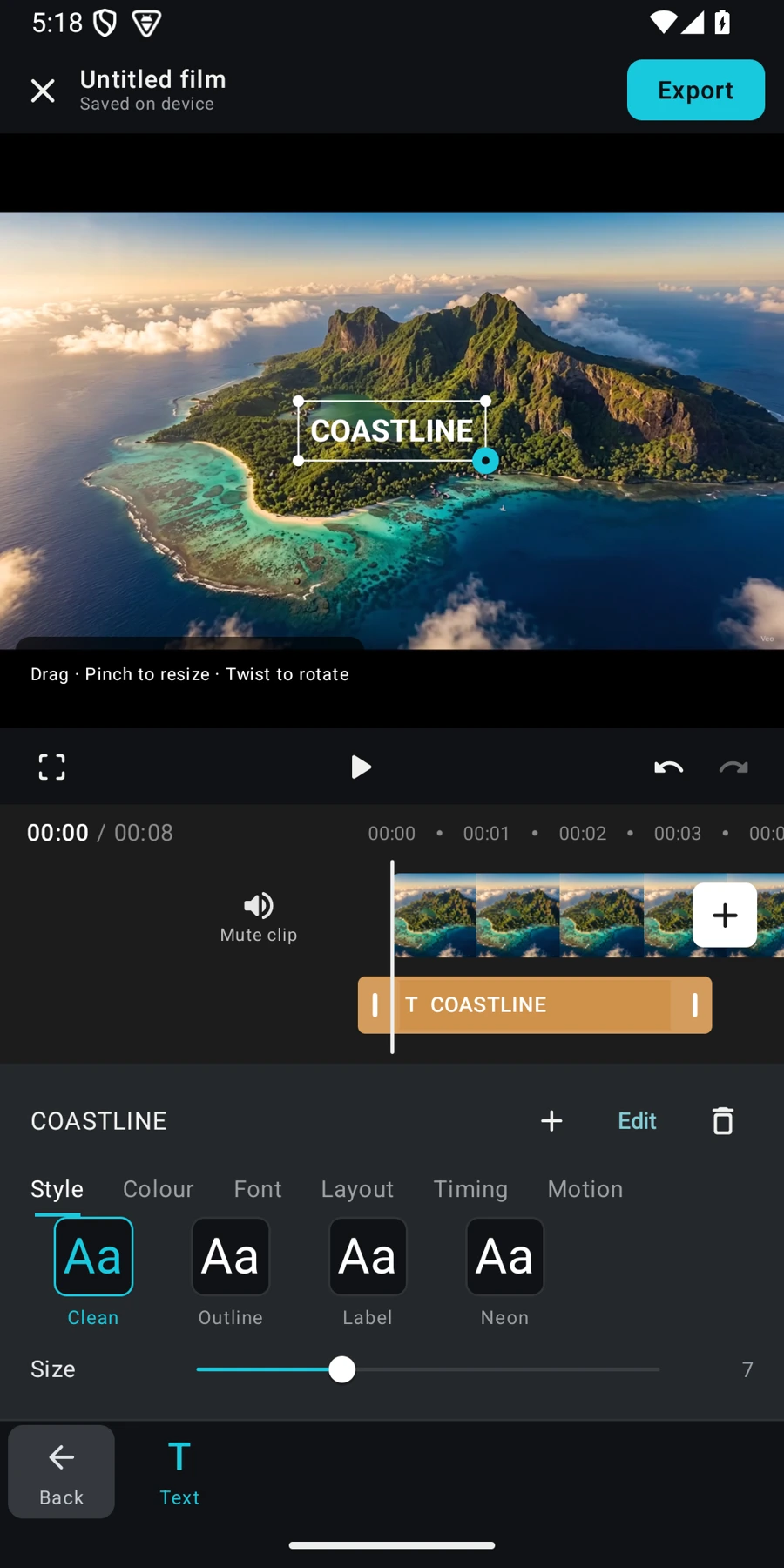
Trim and split clips, change their order, and control playback speed.
Move and resize titles directly in the preview. Choose the style, colour, font, timing, and motion.
Add audio, voiceover, overlays, and captions. The effects library is available with Pinwheel Plus.

Your clips. Your sequence. Your pace.
WHAT’S NEXT
Android is in development.
And yes, Pinwheel is coming to
Windows.
Photo and video editing for your phone.
The current build
supports Android 8.0 and later.
Pinwheel on a larger screen.
Release date and system
requirements to come.
The public download isn’t available yet. We’ll add the official Android link here when the app launches.
Yes. Every app screenshot on this page was captured directly from Pinwheel Android 0.31.0, build 31—the latest packaged release available for this page update. These are development previews; the interface may change before launch.
The current Android build has a free plan and a Plus plan. The video effects library and higher export limits are Plus features. Final public pricing and plan details will be confirmed at launch.
A Windows version is in development. We haven’t announced a public release date or final system requirements yet.